What x402 enables for nft metadata
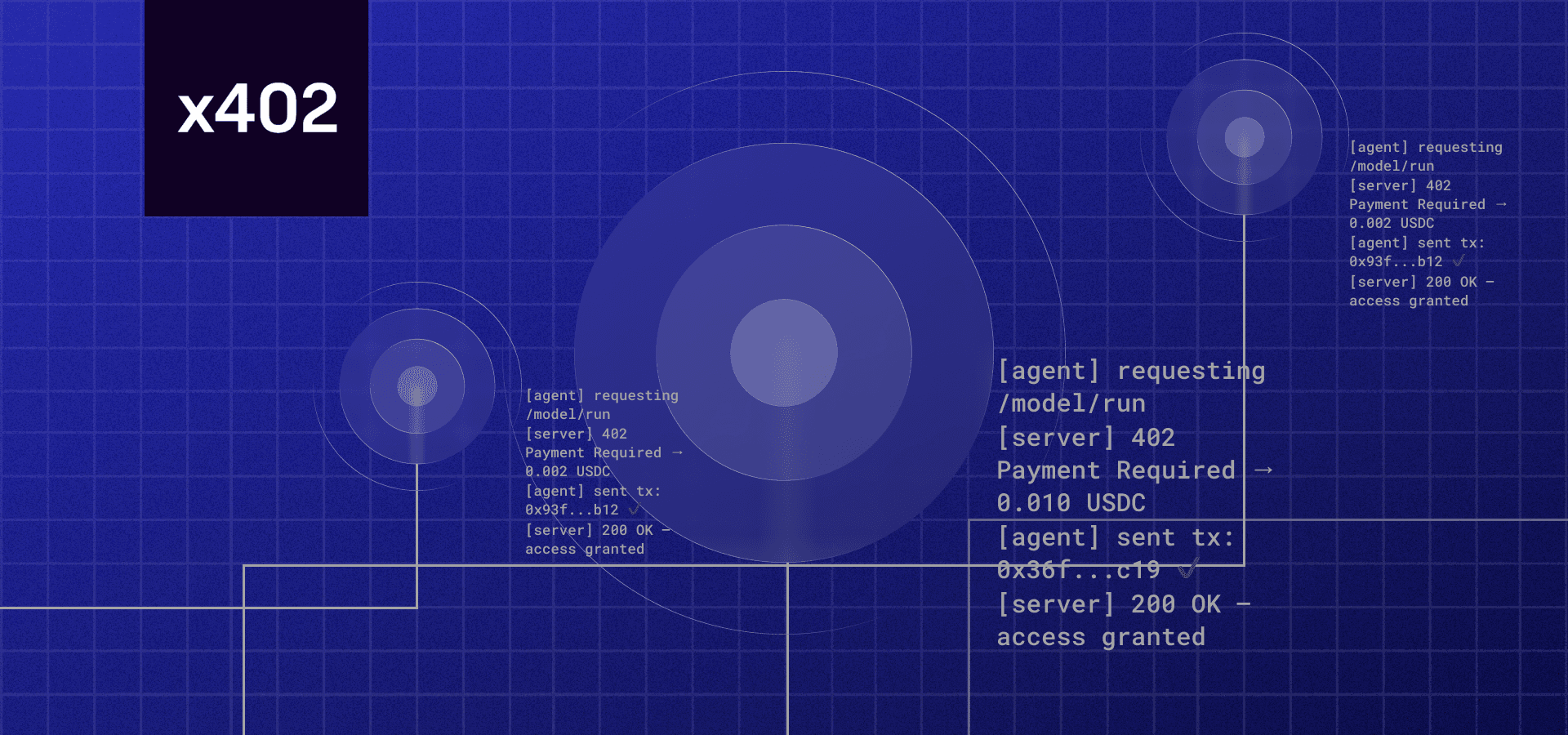
x402 is a protocol that turns standard APIs into payment-gated endpoints. Instead of relying on separate billing cycles or complex authentication tokens, an API can simply require a cryptocurrency payment—typically stablecoins—before returning a response. This creates a direct, automated commerce layer where the act of fetching data serves as the transaction. For developers building AI agents, this means infrastructure that handles both data delivery and payment settlement in a single request.
This architecture is particularly useful for NFT metadata updates. Traditionally, fetching or refreshing on-chain metadata might involve free public endpoints that are rate-limited or unreliable, or paid services that require manual account management. With x402, an agent can programmatically pay for a metadata refresh. The API checks the payment, and if it is valid, returns the updated JSON data. This removes the friction of manual invoicing and allows for micro-transactions that make sense for high-frequency agent activities.
The integration is straightforward for sellers. By wrapping their existing API endpoints with x402 middleware, developers can enable any HTTP client to pay for access. The Coinbase Developer Platform documentation outlines how to implement this for sellers, allowing them to charge buyers and AI agents directly for API usage without building custom payment gateways. This shifts the focus from user acquisition to unit economics, where every metadata call has a clear, automated cost basis.
Note: x402 allows APIs to require payment (usually in stablecoins) before returning data, enabling direct monetization of metadata refreshes by AI agents.
For buyers, the experience is equally streamlined. An AI agent can be programmed to check the price of a metadata refresh, send the payment, and immediately use the returned data to update its internal state or display. This "pay-as-you-go" model is ideal for NFT projects that want to offer premium, real-time metadata services without managing a traditional SaaS billing relationship.
Setting up the payment facilitator
To handle transaction verification for NFT metadata refreshes, you need a payment facilitator that bridges your API with the x402 protocol. This component acts as the middleman, verifying that an agent has paid before releasing the updated metadata. We will use Coinbase Developer Platform (CDP) for this setup, as it provides a straightforward integration path for sellers.
1. Install the x402 SDK
Start by adding the official CDP SDK to your project. This library handles the heavy lifting of signing requests and verifying on-chain payments. Run the following command in your project directory:
npm install @coinbase/coinbase-sdk
This ensures you are using the most recent, audited version of the library. Avoid relying on community-maintained forks for payment logic, as security vulnerabilities in these areas can lead to lost revenue.
2. Configure your API key
Next, authenticate your application. You will need your API key and secret from the Coinbase Developer Dashboard. Set these as environment variables to keep them secure:
export COINBASE_API_KEY="your_api_key"
export COINBASE_API_SECRET="your_api_secret"
Your facilitator will use these credentials to sign payment requests. When an agent calls your endpoint, the facilitator attaches a signed proof of payment to the response.
3. Implement the verification middleware
Create a middleware function that intercepts incoming requests. This function checks for the x-pay header, which contains the payment proof. If the payment is valid, the middleware allows the request to proceed to your metadata logic. If not, it returns a 402 Payment Required status.
import { Coinbase } from '@coinbase/coinbase-sdk';

async function verifyPayment(req, res, next) {
  const paymentProof = req.headers['x-pay'];
  if (!paymentProof) {
    return res.status(402).send('Payment required');
  }

  // Verify the payment proof with Coinbase
  const isValid = await Coinbase.verifyPayment(paymentProof);
  if (!isValid) {
    return res.status(402).send('Invalid payment');
  }

  next();
}
4. Connect to your NFT endpoint
Finally, attach this middleware to your specific NFT metadata route. This ensures that only paid requests trigger the metadata refresh. Test this locally using a tool like curl or Postman to simulate an agent payment.
app.get('/api/nft/metadata', verifyPayment, async (req, res) => {
  const { tokenId } = req.query;
  const metadata = await refreshNftMetadata(tokenId);
  res.json(metadata);
});
This setup creates a secure, automated payment loop. Your facilitator handles the verification, and your API focuses on delivering the updated NFT data.
Build the metadata update endpoint
This section walks through the code structure for an API endpoint that verifies an x402 payment and then executes the metadata update logic. We will use TypeScript, as it is the standard for both Solana (Metaplex) and EVM (Thirdweb) development.
The endpoint must perform two distinct actions: first, validate the payment signature to ensure the agent has paid for the service, and second, execute the blockchain transaction to update the NFT metadata. We will structure this as a single handler that fails fast if the payment is invalid.
Before touching the blockchain, you must verify that the request includes a valid x402 payment. This typically involves checking the Authorization header or a specific payment header for a signed transaction or token.
Use the official x402 SDK to verify the signature against the expected price and recipient. If the verification fails, return a 402 Payment Required error immediately. Do not proceed to the update logic until payment is confirmed. This prevents unpaid metadata updates and ensures your API is secure.
Once payment is verified, extract the new metadata from the request body. This payload should contain the fields you want to update, such as name, symbol, description, or image URL.
Validate the payload structure against your expected schema. Ensure that the image URL is accessible and follows your storage provider's rules (e.g., IPFS or Arweave). Invalid or malformed metadata should return a 400 Bad Request error to prevent blockchain spam or broken NFT displays.

With valid payment and metadata, call the appropriate SDK to update the NFT. For Solana, use the Metaplex JS SDK to sign and send the update transaction. For EVM chains, use the Thirdweb SDK to interact with the NFT contract.
Ensure the transaction is signed by the wallet that owns the NFT or has update authority. Handle transaction confirmation and return the transaction hash to the client. If the update fails, log the error and return a 500 Internal Server Error with a clear message.
| Payment Scheme | Pricing Model | Best For |
|---|---|---|
| Fixed | Exact amount | Standard metadata refresh services |
| Flexible | Negotiated or dynamic | Bulk updates or custom agent agreements |
This structure ensures that your API is both secure and efficient. By separating payment verification from metadata updates, you create a clear, auditable flow that agents can rely on. Always refer to the official x402 documentation for the latest payment verification standards and the Metaplex or Thirdweb docs for the specific SDK methods.
Handling payment verification errors
Automated agents don't wait for manual intervention. When an x402 endpoint receives a request, the payment verification happens in milliseconds. If that verification fails, the agent needs a clear signal to retry or abort, not a generic server error. This section covers the three most common failure modes: failed transactions, expired tokens, and idempotency conflicts.
Failed transactions and network errors
A failed transaction usually means the agent's wallet didn't have enough gas, or the recipient address was malformed. In these cases, return a 402 Payment Required status with a specific error code. Avoid vague messages like "Payment failed." Instead, specify whether the issue was insufficient_funds, transaction_reverted, or network_timeout. This allows the agent to decide whether to switch wallets or retry after a block confirmation.
For example, if the payment is a cross-chain bridge transaction, the agent might need to wait for the bridge to finalize. In such cases, a 402 with a retry_after header is more helpful than a hard 500 error. It tells the agent exactly how long to back off before trying again.
Expired tokens and session timeouts
x402 payments often rely on short-lived tokens or session keys to protect agent wallets. If a token expires before the metadata refresh completes, the endpoint should reject the request with a 401 Unauthorized or a specific 402 error indicating token expiration. Don't let the agent retry with the same expired token; that wastes gas and clogs the network.
Instead, include a clear error message that prompts the agent to request a new token. If your NFT SDK supports token rotation, ensure the metadata refresh endpoint can handle both old and new tokens during the transition period to prevent service interruption for existing agents.
Idempotency and duplicate payments
Agents are stateless and may retry requests due to network glitches. Without idempotency handling, a single metadata refresh could trigger multiple payments, draining the agent's wallet. To prevent this, require an Idempotency-Key header in every request. If the server receives a duplicate key, return the original response without reprocessing the payment or updating the metadata.
This is critical for reliability. If an agent sends a request and doesn't receive a response due to a timeout, it will retry. If your endpoint doesn't recognize the duplicate key, it might charge the agent twice. Store these keys in a fast-access cache (like Redis) with a short TTL to ensure that duplicates are caught without bloating your database. For more on idempotency in API design, see the Fireblocks documentation on request handling.
Testing the endpoint with agents
Before going live, you need to verify that your x402 endpoint correctly handles automated payments for NFT metadata updates. This section provides a checklist for verifying that the endpoint works correctly with AI agents and automated scripts.
Ensure your endpoint returns a valid 200 OK status when no payment is required. If the x402 protocol mandates payment, it should return a 402 Payment Required with the appropriate Pay-URL header. Test this with a simple curl request to confirm the server is reachable and parsing headers correctly.
Use a testnet wallet to simulate an AI agent’s payment. Send the exact amount specified in the Pay-URL to the provided address. Confirm that your backend detects the transaction and updates the NFT metadata state accordingly. This mirrors how autonomous agents interact with your service.
After the payment is confirmed, trigger a metadata refresh. Check that the on-chain data or IPFS hash updates as expected. Verify that the endpoint rejects requests to refresh metadata if the payment signature is invalid or expired, preventing unauthorized updates.
AI agents may timeout or send malformed requests. Ensure your endpoint returns clear 400 Bad Request or 500 Internal Server Error codes with descriptive messages. This helps agents retry correctly without hanging indefinitely. Test with delayed payments to ensure the system handles race conditions gracefully.
No comments yet. Be the first to share your thoughts!